


How to cancel a class online to receive a credit
After you have paid, you can cancel a class and receive a credit. You may cancel any class up to an hour before.
- Log in.
- Click or tap My Registrations ▽ , then click or tap the link to your course.
- Scroll below the calendar of your course page.
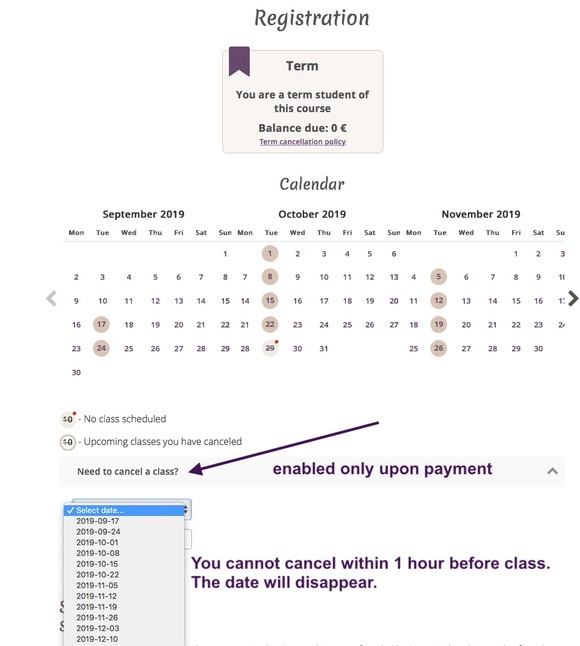
1 credit will be added in your My Registrations ▽ section.
Also see: